How To Get Here?
- From the Menu
- Suppl Chain -> Internal Shipments
What is it for?
- See all your manually created shipment details.
- See the Internal shipment status, the quantity sent and the number of units received from one custom warehouse to another.
- See the number of units missing and the outstanding amount in a shipment
- See the Internal storage center code where the units are being sent or received
Hints And Tips!
- Please note that this screen will not contain the shipment we sent to amazon.
- It will only contain the shipments you created manually.
- This is an Internal screen that can be used to manage your custom created shipments.
- The shipment status tile will show you a summary of your internal shipments in numbers.
- The Actions required tile will tell you
- If there are cases required
- The quantity in cases
- The quantity not received
- Total outstanding costs
Screen Print
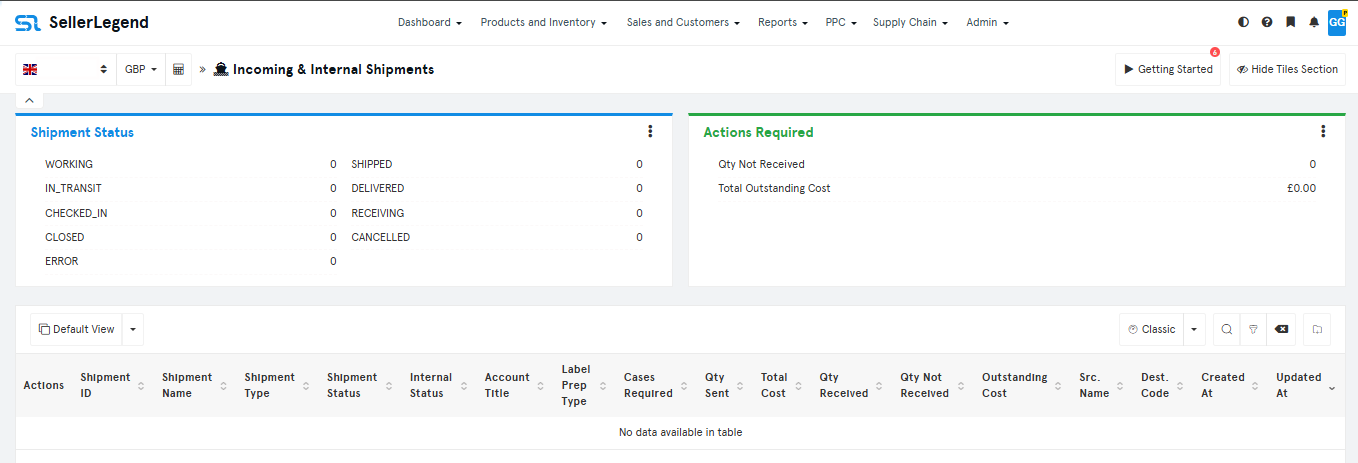
Content
- Actions Button
- Click on the Action Button to reveal links to
- Edit shipment
- Delete shipment
- Shipment details
- Shipment notes
- Click on the Action Button to reveal links to
-
- Shipment ID
- A unique ID assigned by Amazon after creating the shipment plan
- Shipment Name
- The name assigned to your shipment by Amazon or you while creating the shipment in seller central
- Shipment Status
- The status of the shipment
- Internal Status
- The status assigned by you in the SL i.e. Working or Shipped.
- To set internal status click in the internal status column for the shipment you want to set the internal status to.
- Account Title
- Name of the account as defined in SL
- Label Prep Type
- Shows label prep type i.e Amazon label or seller label
- Cases Required
- Indicates whether the shipment is case-packed and the cases are required for the shipment
- Qty Sent
- The total number of units shipped to the Fulfillment Center
- Total Cost
- The total sum of the units sent to FC.
- Qty Received
- The total number of units received by FC.
- Clicking on the quantity received link will take you to seller central shipping queue
- Qty Not Received
- The total number of units missing from the shipment
- Clicking on the quantity received link will take you to seller central shipping queue
- Outstanding Cost
- The Outstanding amount for the missing units from the shipment
- Src. Name
- The Source where the shipment was sent from.
- Dest. Code
- The Destination fulfillment center code where the shipment will be received
- Created At
- The Date of the shipment creation
- Updated At
- The Date on which the information was updated in SL