Automatic Receipts Every time your card is charged for your subscription, a receipt is automatically delivered to your inbox.
Official Tax Invoices If you require a formal tax invoice, you can generate one by following these instructions:
How To Get Here?
- Click on your Profile icon at the top right of the screen and navigate to Payments.
Screen Print
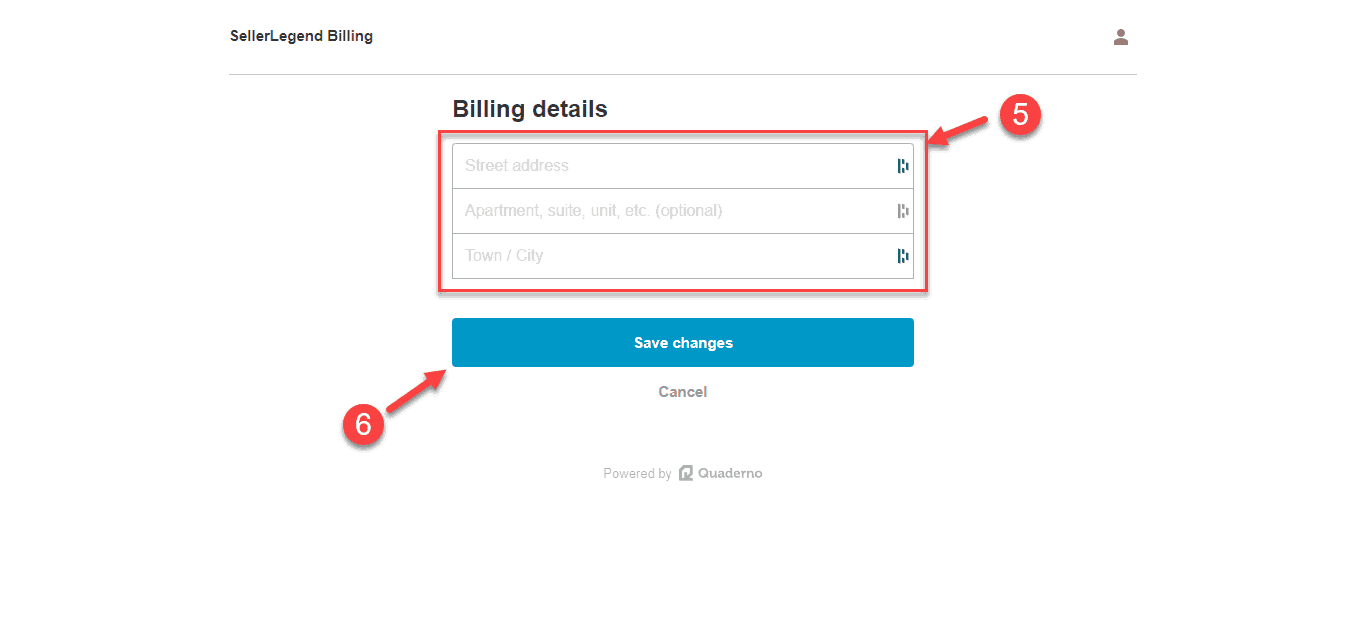
- Step 1: Click on View Invoices on the Payment Screen
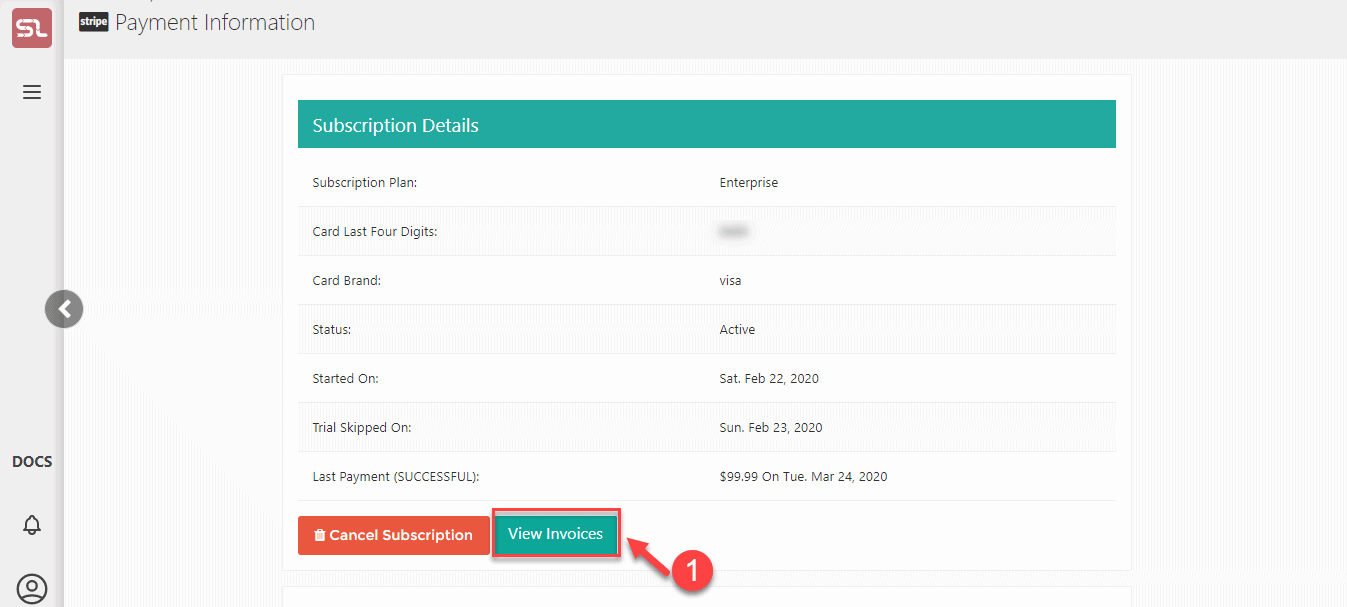
- Step 2: Click on the green button to view/download any specific invoice.
- Step 3: Click anywhere else to edit your invoice.
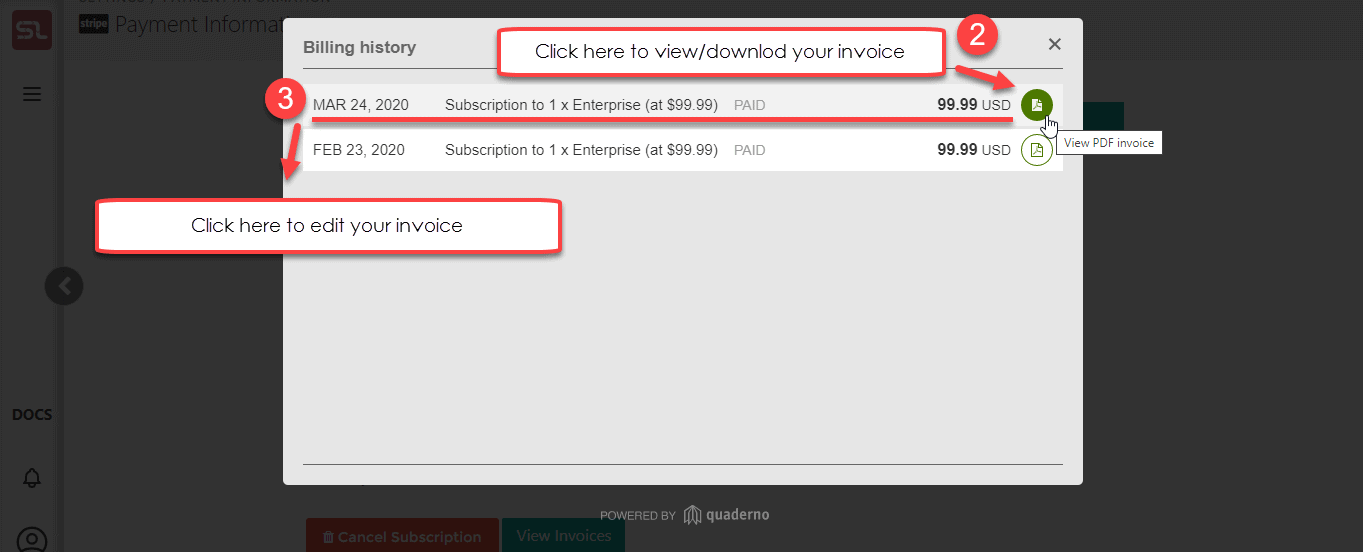
- Step 4: Click on Edit billing info if you want to edit your invoice. Or if you want to download your invoice please click on Download as PDF.
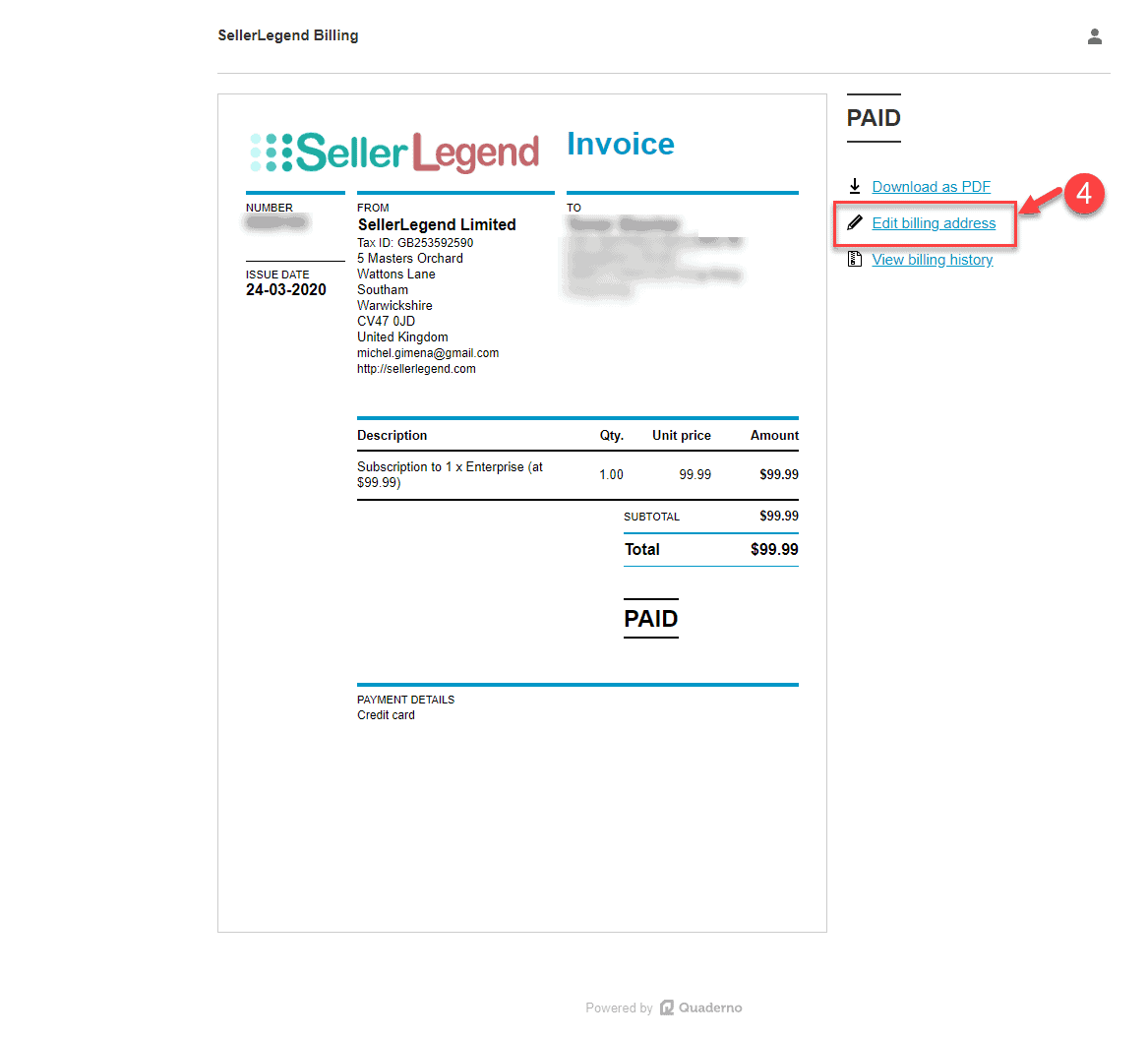
- Step 5: You will be directed to the SellerLegend Billing screen where you can make necessary custom changes.
- Step 6: Click on the Save button to apply changes to the invoice.