How To Get Here?
- From the Main Menu
- Go to Sales and Customers → Refunds Manager → Manage Refunds Reimbursements
- Click on the Refund Settings button the upper right side of the screen
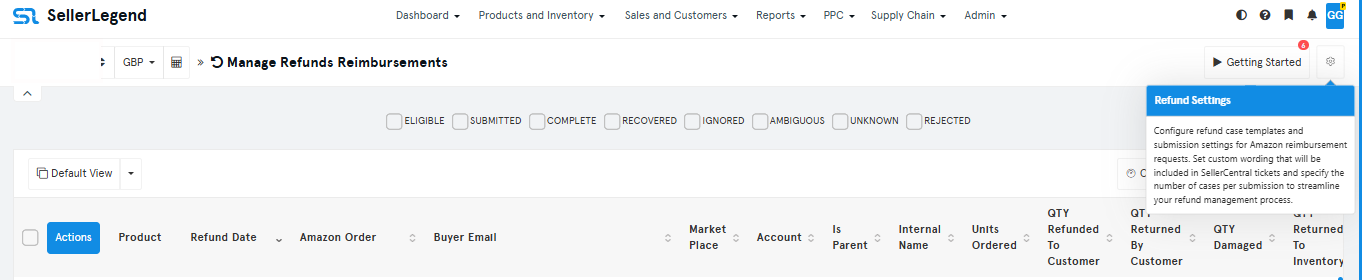
- Click on the Refund Settings button the upper right side of the screen
- Go to Sales and Customers → Refunds Manager → Manage Refunds Reimbursements
What is it for?
- To set refunds case wording to be included in the SellerCentral reimbursement tickets
- To set a number of cases per submission
Hints And Tips!
- Do not attempt to understand the content of this screen unless you understand the Amazon Refunds/Returns/Reimbursements Cycle
- The following article is a must-read to gain the minimum understanding of the cycle
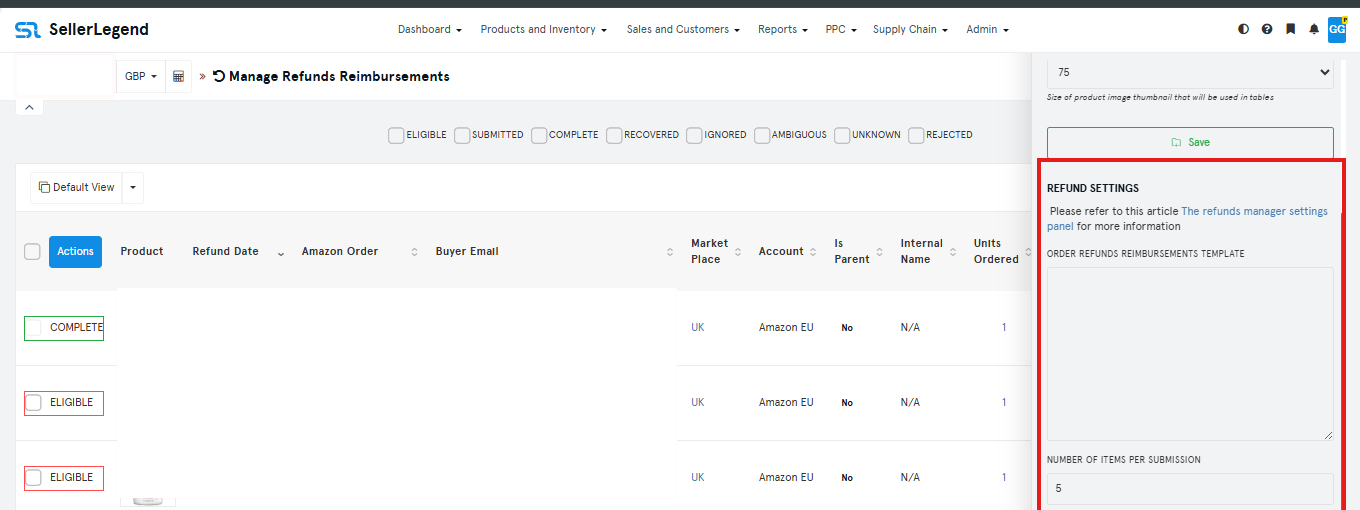
Screen Print
Content
(*) denotes features not yet implemented at the time of writing
- Order Refunds Reimbursement Template
- A free form text which will be added as case wording and precede the reimbursement request case instances
- Number of Items Per Subscription
- An arbitrary number which will restrict the number of entries in each submission case