How To Get Here?
- From the Main Menu :
- Admin –> Statistics Email Settings
What is it for?
- To change the default notifications email address
- To request daily, weekly or monthly inventory and sales statistics
Hints And Tips!
- Do not forget to click on the Save button to record any changes
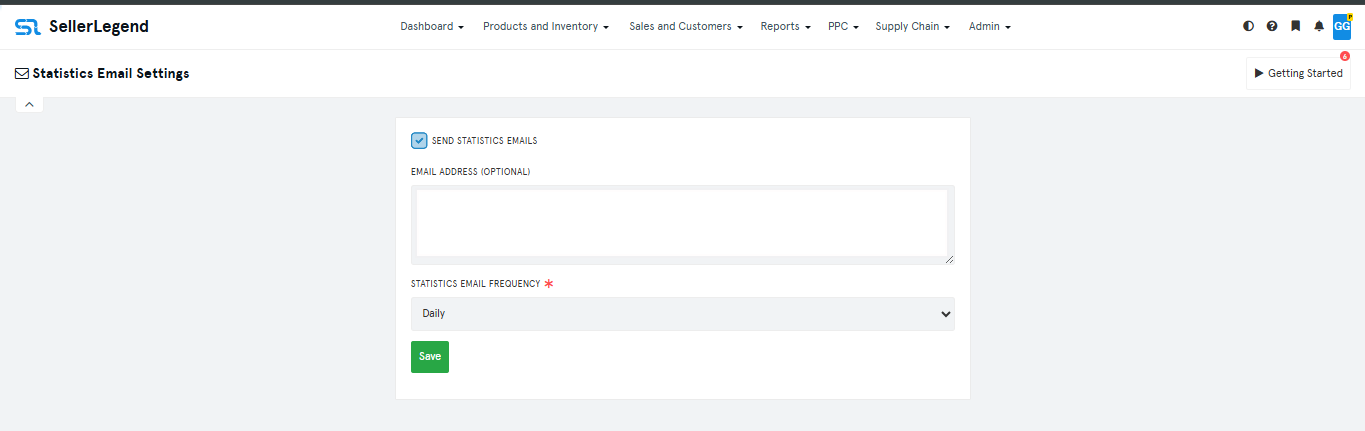
Screen Print
Content
(*) denotes features not yet implemented at the time of writing
- Send Inventory Emails (*)
- Whether to include inventory status alerts in the daily emails
- Email Address
- The default notifications email address
- You can add multiple recipients by entering multiple email addresses separated by a comma
- Email Frequency
- Choose between Daily, Weekly or Monthly emails
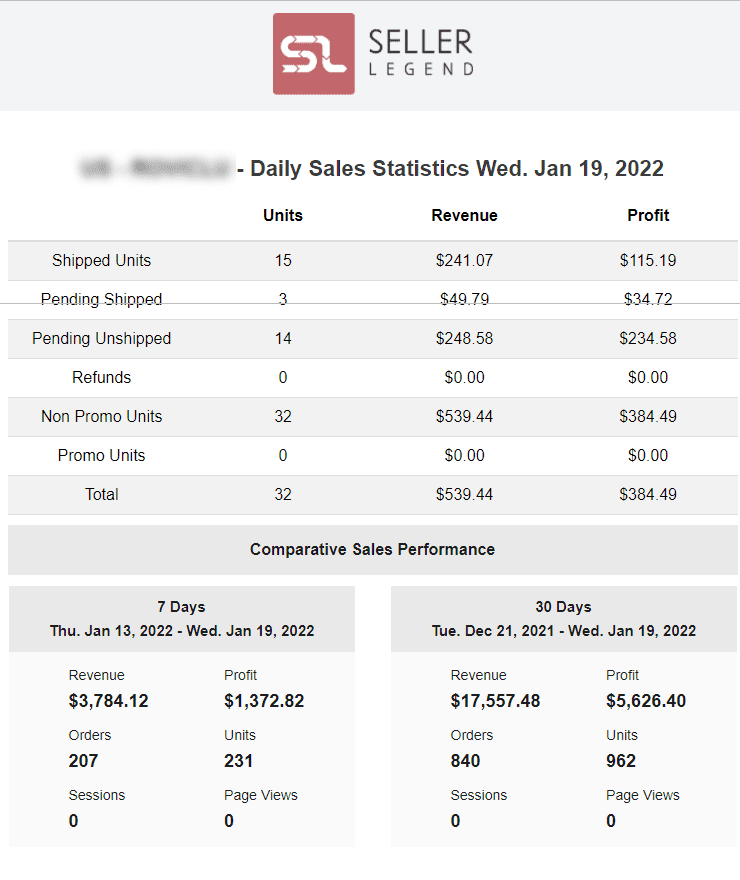
- The content will reflect the statistics for the day when the email is sent, it is not cumulative for the requested frequency period
Daily Statistics Email Sample